WHY IT MATTERS
The shop floor is where margin is made or lost.
A great quote means nothing if the part ships late, fails inspection, or eats more hours than you priced for. Phasio gives the floor the same visibility and rigour your quoting team has.
WORKFLOW
The workflow is yours.
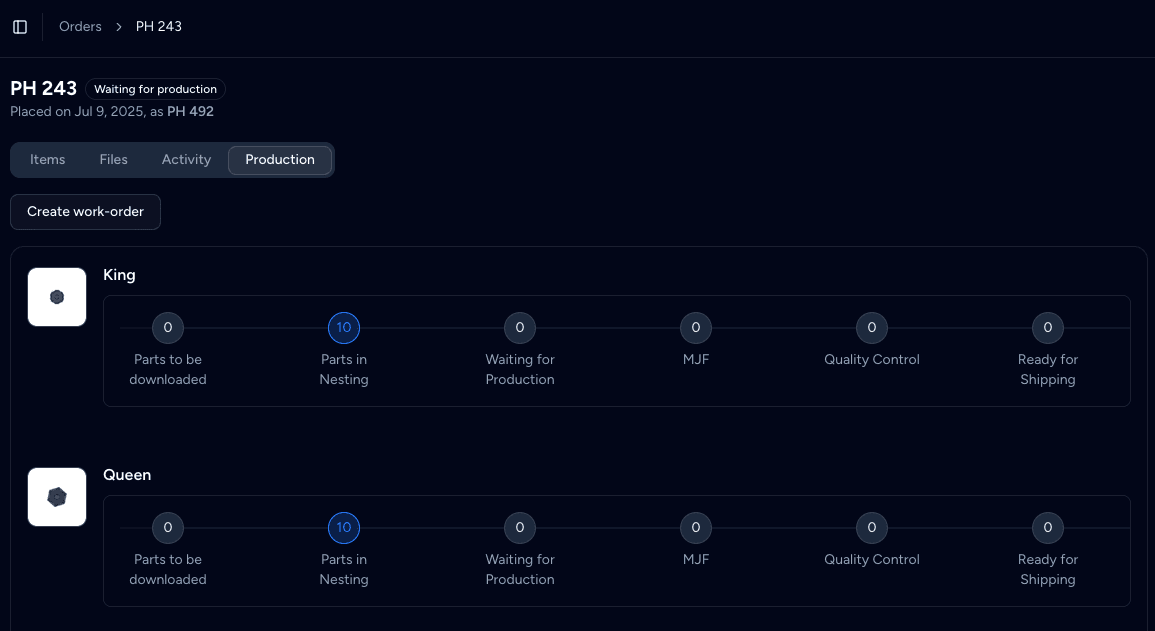
Define the operations your shop runs – planning, washing, curing, milling, anodising, inspection – and Phasio tracks the job through them. You do not have to change how you work.
- Operation library you own. Add, rename, re-sequence at any time. Operators see the workflow update on their next refresh.
- Rates and times per operation. Each step carries its standard time, hourly rate, and consumables – so you can compare the quoted cost with the actual cost.
- Required evidence per step. Decide whether an operation needs a photo, a measurement, a sign-off, or all three. The terminal enforces it.
AI ROUTE PLANNING
Draft routesheets in seconds.
Phasio learns your shop floor and produces draft routesheets based on previous runs and compliance requirements. Your planner reviews and adjusts – the system handles the first 80%.
- Pattern-matched from history. New jobs inherit routing from the closest match in your library – by geometry, material, customer or tolerance.
- Compliance steps added for you. Customer-specific or industry-specific operations (e.g. heat-treat certs, FAI for aerospace) get added automatically when they apply.
- Editable end-to-end. Planners can re-order, add or skip steps, and Phasio records why – feeding the next round of pattern-matching.
TRACEABILITY
Traceability that holds up to audit.

Every operation, every staff member, every timestamp is logged and auditable. When the customer asks who made the part on which machine on which day, you have the answer in seconds – not after an afternoon of searching through paperwork.
- Operator-level attribution. Logged-in operators stamp every step. Sign-off cannot be back-dated or anonymised.
- Photo and measurement evidence. Required artefacts attach to the operation. Inspection reports and CoCs live with the job, not in a shared drive.
- Export-ready audit packs. Generate a full audit pack for any job – PDF or structured data – in one click for ISO 9001, AS9100, or customer-specific audits.
ALSO BUILT IN
Every shop floor capability, in the same system as your quotes.
Your operation library
Define the operations your shop actually runs – planning, washing, curing, anodising, inspection – not a vendor preset.
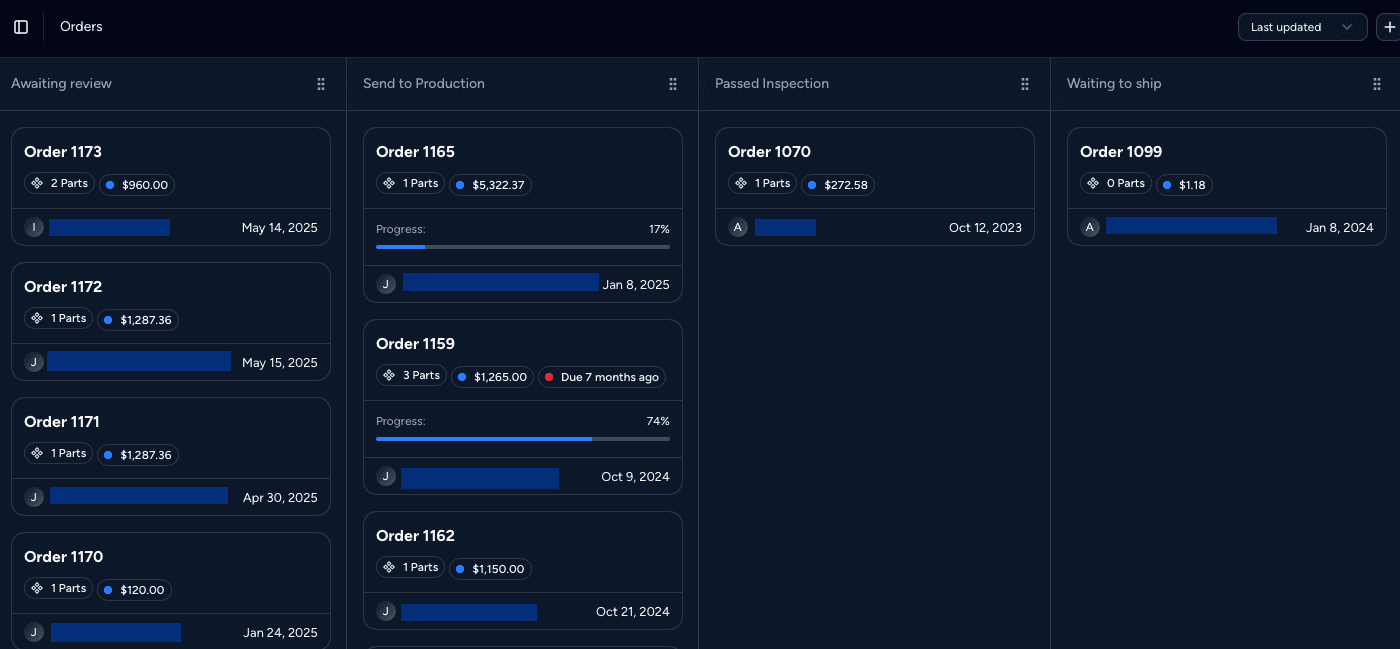
Job kanban
See every job by stage. Filter by operator, customer, due date or material with a single click.
Photo and document evidence
Operators attach photos, measurement reports and CoCs to operations as they go. Everything stays with the job.
In-process inspection
Inspection steps with pass/fail prompts, sample sizes, and AI checks against the original CAD when needed.
Non-conformance handling
Flag, contain, and re-route bad parts. Every NCR is logged against the job and the operation that failed.
Barcode and label printing
Print job travellers, part tags and shipping labels from any operation step. Compatible with your existing label printer.
“Thanks to Phasio's workflow software, we can now complete projects faster and with fewer staff. This software has helped us to raise our efficiency to a new level.”
FREQUENTLY ASKED
Production management FAQ
Does Phasio replace my MES or ERP?
Phasio is the operating layer for shops that run quotes, production and back-office in one system. For mid-sized operations, it replaces a patchwork of MES, quoting tool and customer portal. For larger operations, it integrates with your existing ERP and gives the shop floor a far better day-to-day experience.
Can I define my own operations?
Yes. The operation library is fully yours – name them, sequence them, set the rates, define what evidence operators must capture. Phasio comes with sensible defaults for common processes but expects you to make them your own.
How do operators use Phasio on the shop floor?
Through a tablet or terminal at each station. Operators log in, see the job queue, open the next operation, and run through it with prompts. Barcodes and QR codes on travellers let them jump straight to the right job.
What does the audit trail include?
Every operation, every operator, every timestamp, every photo, every measurement, every revision. When a customer asks who made a given part on which machine on which day, the answer is on screen in seconds. Holds up to ISO 9001 and AS9100 audits.
How does the AI route planning work?
Phasio learns from your historical jobs. When a new part comes through, it suggests a routesheet based on parts you have made that share geometry, tolerance, material or customer. The planner reviews and approves – the AI is a draft, not a decision-maker.
Can I track jobs that move between buildings or sites?
Yes. Multi-site shops can route a single job across locations and external subcontractors, with timestamps captured at each hand-off.
KEEP READING
Go deeper on production.
Guides
Also in Phasio: QuotingIntegrationsPart IntelligenceStorefronts