WHY IT MATTERS
Include the work that happens after the machine run.
Finishing and inspection can affect the ship date as much as machine time. Plan those steps with each work order, using the process times and lead times you set when quoting.
CAPACITY
Plan around equipment and staff availability.
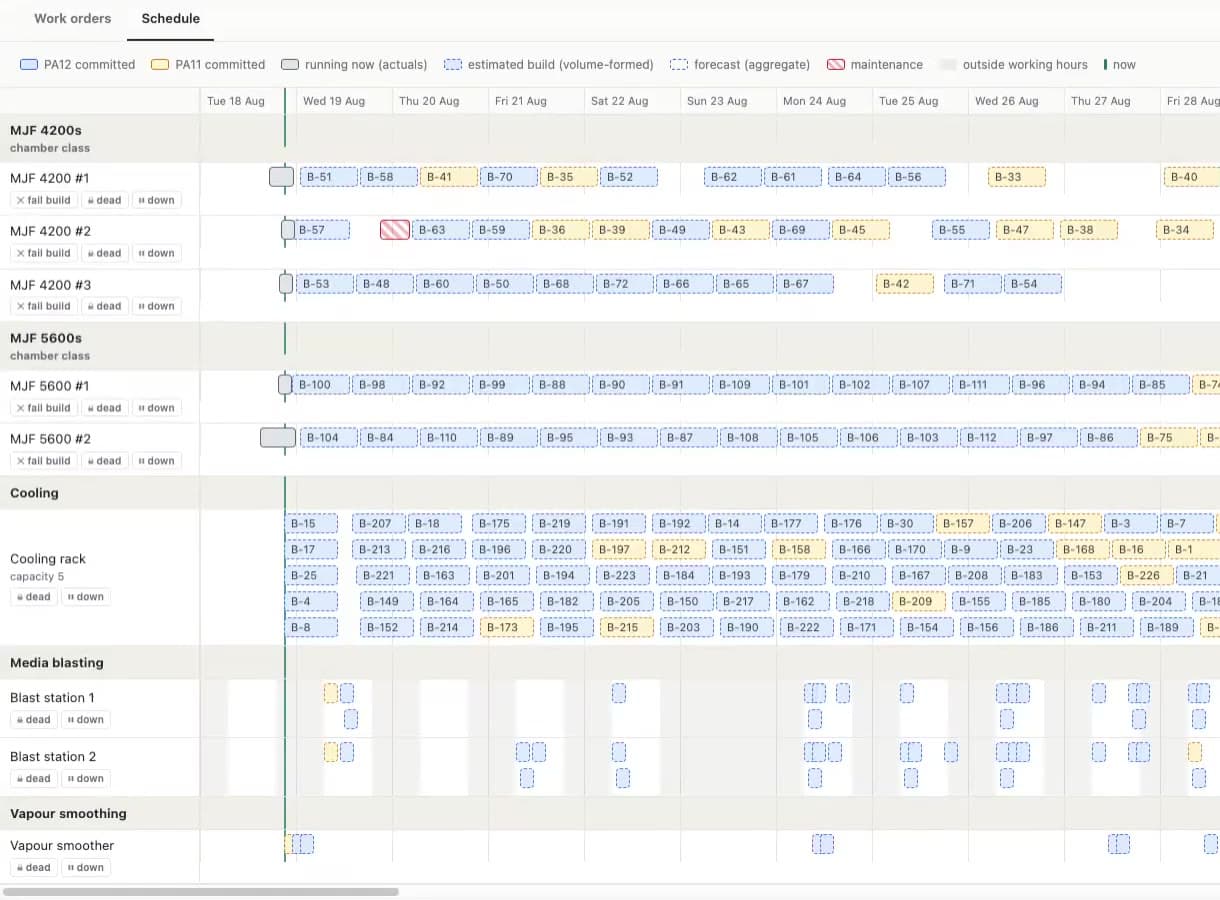
Set working hours for machines, finishing stations and staff, then see the resources each work order needs alongside its planned dates.
- Machines and machine groups. Model availability windows, maintenance and changeovers for each machine.
- Finishing and inspection. Give ovens, finishing and inspection their own steps in the plan.
- Staff availability. Plan around shifts and the number of people available for each operation.
WORK ORDERS
Schedule each part with its own routing.
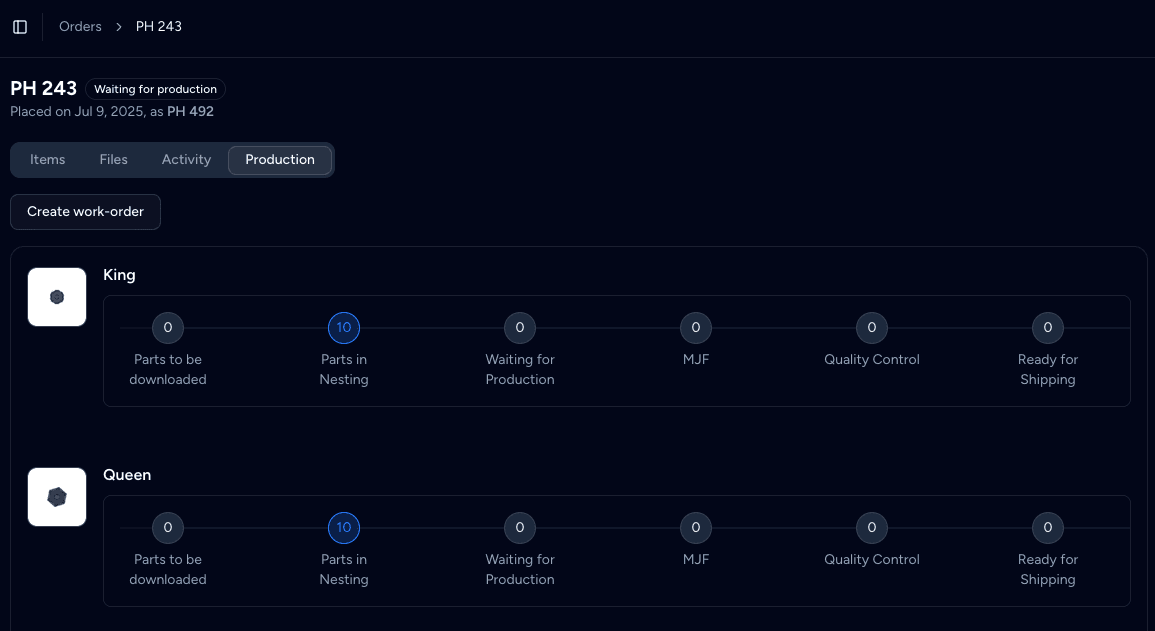
From any order, schedule parts into work orders. Set the quantity, start date and due date, and choose an automatic routing from your process setup or an approved routing template.
- Several runs per part. Split a part across work orders, each with its own routing and quantity.
- Due dates from the order. The due date starts from the order's expected dispatch date, and you can change it.
- Edit ahead, not behind. Change the steps a run has not reached yet. Completed steps stay locked.
DISPATCH DATES
Estimate dispatch dates from the work involved.
Phasio adds the process duration, post-process durations and the lead-time buffer to estimate when each line ships. With several lines, the longest one sets the order date.
- Lead time options. Offer Economy, Standard or Expedited, each with its own buffer and price.
- Your duration logic. Write durations in the same equations as your prices, by machine count, material or customer.
- Set a confirmed date. Enter a dispatch date when you have agreed one with the customer.
VISIBILITY
See what is waiting and what is due.


The production backlog groups parts by operation, with the soonest-due parts at the top of each workstation. The orders calendar shows what ships this week, this month or on a timeline.
- Backlog by operation. Each station sees its queue and the parts that are next.
- Calendar views. Week, month and timeline views place orders on their dispatch dates.
- Urgency at a glance. Urgency indicators show which jobs need attention first.
ALSO BUILT IN
Keep the plan connected to the order.
Routing templates with approval
Approve routings before they reach the floor, and freeze them once a run uses them.
Build grouping
Group parts into builds by material, material and colour, or material and sheet thickness.
Scrap and replace
Record scrap with a reason and put replacement parts back into the same work order.
Status automations
Move an order to a status when its first work order is created, and notify the customer.
Part history
Review the builds and operations recorded for each part.
API and webhooks
Share work orders and order events with your ERP or reporting tools.
“Phasio lets us clearly track which projects are happening when, giving us a clear view over all our manufacturing processes. Our team has never felt so organised.”
IS PHASIO RIGHT FOR YOUR PLANNING?
Built for make-to-order work with many small jobs.
A good fit
Job shops and service bureaus that plan custom orders across several processes and need dates they can trust.
Also a good fit
Shops that plan today in spreadsheets or on a whiteboard and want the plan linked to quotes and orders.
Not the right fit
Make-to-stock plants that need MRP for materials and purchasing as the core of their system.
Plan
Operations and work order tracking are part of the Factory Floor plan.
FREQUENTLY ASKED
Production planning software FAQ
What does production planning software do?
It turns customer orders into a plan for the shop floor: which parts to make, in which operations, and by when. Phasio does this with work orders, routings, start and due dates, and a backlog for each operation.
How does Phasio calculate dispatch dates?
It adds the process duration, any post-process durations and the lead-time buffer for each line. The longest line sets the order date. You can replace the estimate with a firm date at any time.
Can I schedule one part in several batches?
Yes. A part can have several work orders, each with its own quantity, routing, start date and due date.
Does Phasio do finite-capacity scheduling?
Yes. Phasio schedules against the working hours and capacity of your machines, post-processing stations and staff pools, including maintenance and changeovers.
How is Phasio different from other scheduling software?
Phasio keeps the planned production steps with the customer order and quote. You can include machining, finishing, inspection and staffing needs when planning the work.
Can I see the plan on a calendar?
Yes. The orders calendar has week, month and timeline views based on each order's dispatch date.
Do lead time options change the price?
They can. Each lead time option has its own buffer, and your pricing equation can charge more for expedited work.
KEEP READING