WHY PHASIO IS DIFFERENT
The work continues after the machine stops.
Depowdering, curing, machining after a print, finishing and inspection all affect when a job can ship. Phasio keeps those steps and the people responsible for them in the production plan.
SCHEDULING
Plan machine time, finishing and staff together.
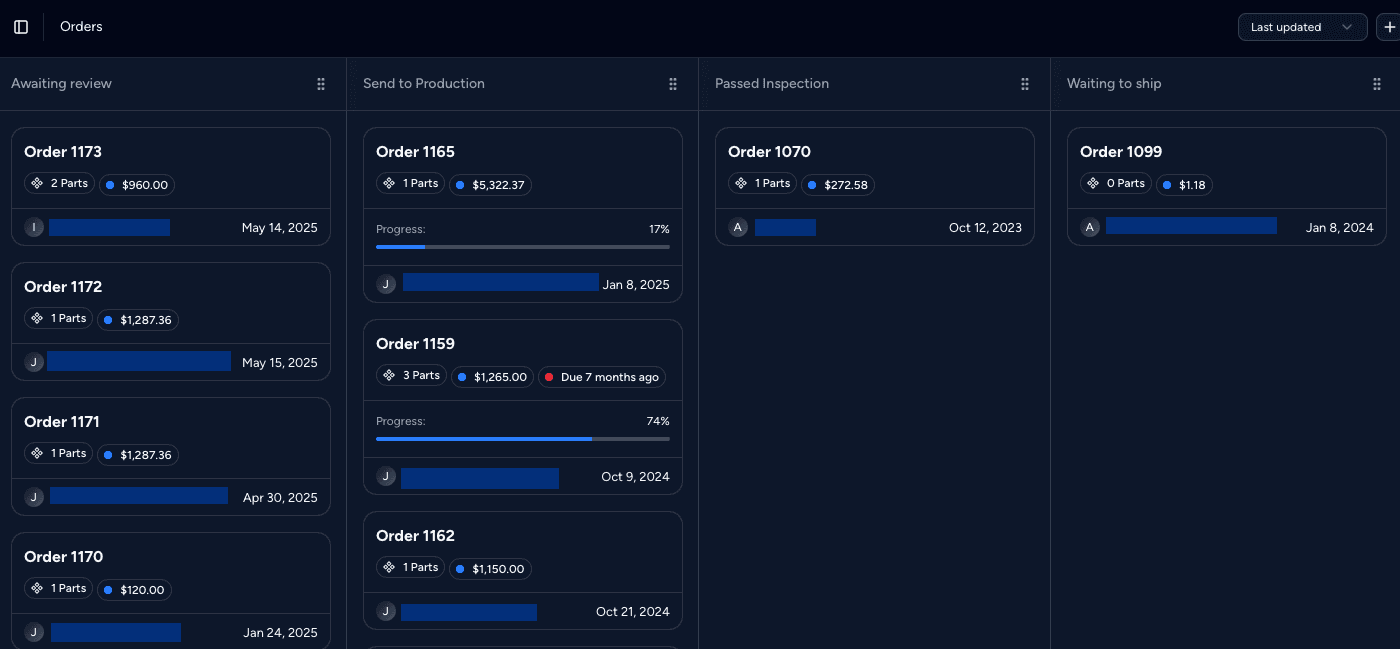
Plan each work order around the machine, the finishing steps and the staff it needs. See those requirements together when you set production dates.
- Machines and machine groups. Each resource has its own working hours, maintenance windows and changeovers.
- Finishing steps. Include curing, finishing and inspection when you plan the job.
- Staff availability. Plan around shifts and the number of people available for each operation.
ROUTING CONTROL
Use approved routings when the job requires them.
Each work order follows a sequence of operations drawn from your process setup or a saved template. You can require template approval before work is scheduled.
- Existing work stays consistent. Changing a template does not change work orders already in progress.
- Optional approval. Require an approved template before a part can be scheduled.
- Completed steps stay put. Adjust upcoming steps without changing the work already recorded.
SHOP FLOOR
A build screen made for tablets and gloves.
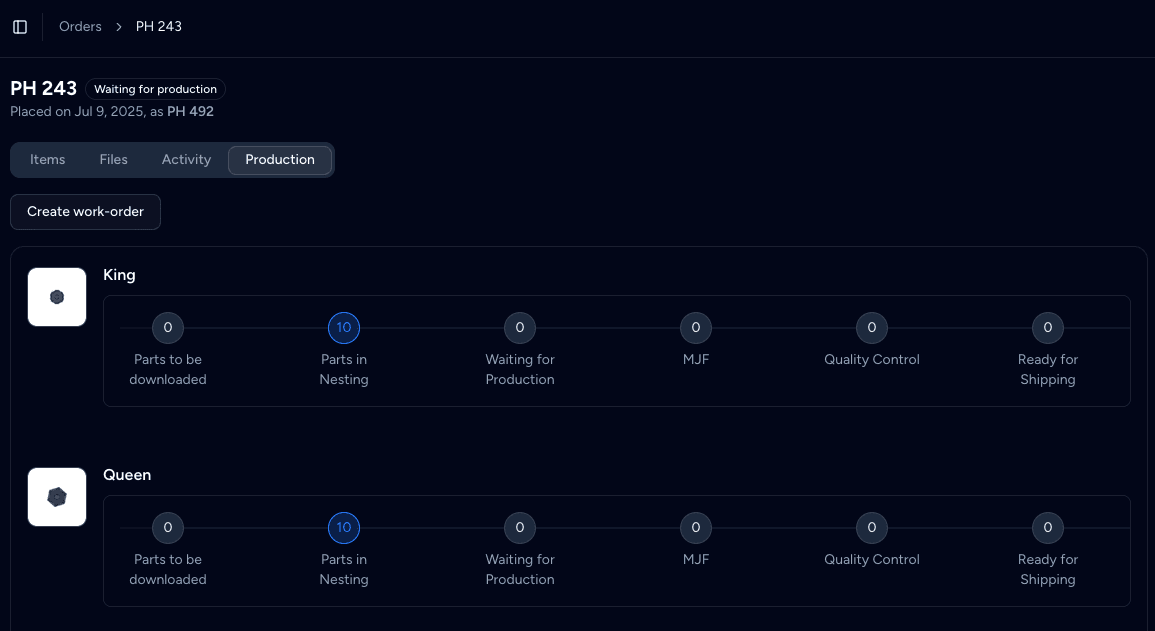
Operators see the parts waiting at their station, group them into builds and move them to the next operation. Each move is recorded in the part history.
- No skipped stages. Parts move through the routing in order, and quantities are capped unless you allow overproduction.
- Undo before commit. Staging can be undone until the operator presses Progress.
- Build-aware steps. Group parts into builds by material, or material and colour, and keep build names across steps.
TRACEABILITY
See what happened to each part.

Phasio records the builds and operations each part passed through. Record a reason when a part is scrapped, and add replacements to the same work order.
- Per-part history. Split quantities show as separate entries, so you can follow each unit.
- Scrap with a reason. Record why parts failed and schedule replacements in the same action.
- Travellers on demand. Print part, group or order travellers from your own document templates.
ALSO BUILT IN
Production records connected to the rest of the job.
Your own operations
Define step types, view by part or by build, set the sequence and mark the final station.
Part backlog
A live view of every operation, with the soonest-due parts at the top of each workstation.
Order status automations
Move orders, notify customers, create shipping labels or send invoices when a status changes.
Part revisions and specifications
Keep designs, revisions, specifications and orientation instructions with the part.
Quoting in the same system
The price, material and lead time the customer accepted flow straight into production.
Open API and webhooks
Push order and production events to your ERP or BI tools as they happen.
“Thanks to Phasio's workflow software, we can now complete projects faster and with fewer staff. This software has helped us to raise our efficiency to a new level.”
IS PHASIO THE RIGHT MES FOR YOU?
For shops making custom parts in small batches.
A good fit
Service bureaus and job shops that quote custom parts and run many small orders across additive, CNC, molding and finishing.
Also a good fit
Internal manufacturing teams that take requests from engineers and need a trace for every part.
Not the right fit
High-volume lines that need machine connectivity, OEE dashboards or PLC integration. Phasio does not connect to machine controllers.
Plan
Operations and the build screen are part of Factory Floor. Contact us to discuss a rollout for your shop.
FREQUENTLY ASKED
MES software FAQ
Is Phasio an MES?
Phasio covers quoting, work orders, shop-floor progress and part history for shops making custom parts. Those production features cover many of the tasks a job shop expects from an MES.
How is Phasio different from other MES software?
Phasio connects production planning to the original quote. The part, material and agreed price are already there when you create a work order, and you can plan the machine, finishing steps and staff together.
Can I control which routings operators use?
Yes. Routing templates go through approval, and a setting can block scheduling without an approved template. Once a run uses a template, the template is frozen, and later changes create a new version.
What happens when a part is scrapped?
The operator records a scrap reason and can schedule replacement parts in the same step. Replacements rejoin the same work order at its first operation, and the scrap stays in the part history.
Does Phasio connect to my machines?
No. Phasio does not read data from machine controllers. It tracks work by operation and build, and connects to other systems through its REST and GraphQL APIs and webhooks.
Which plan includes the MES features?
Operations, the build screen and production tracking are part of the Factory Floor plan. The Pro plan covers quoting and customer communication.
KEEP READING